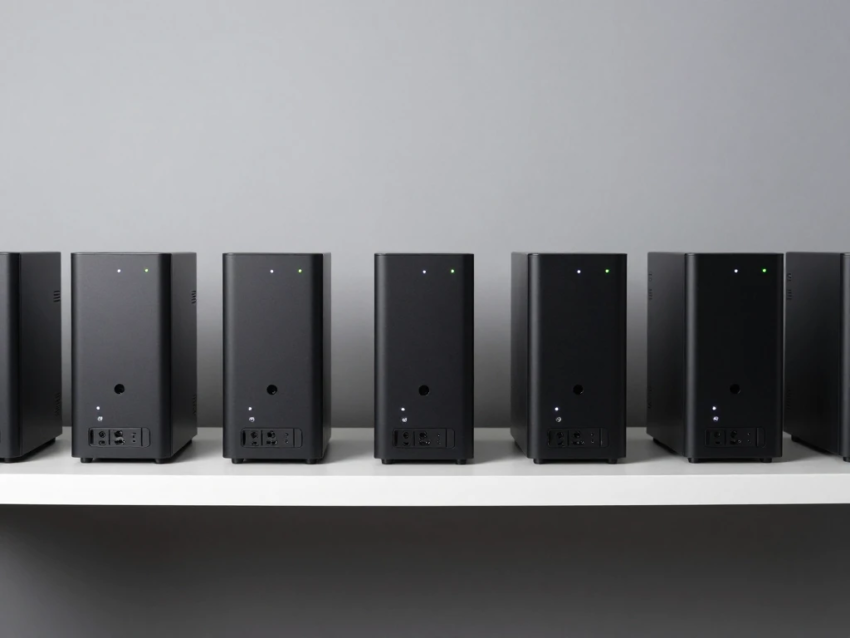
In the modern digital era, computing technology is evolving rapidly toward smaller, faster, and more efficient systems. One of the most significant innovations in this space is the rise of Mini PCs and Compact Systems. These devices are designed to deliver powerful performance in a small form factor, making them ideal for homes, offices, education, and even industrial environments.
Unlike traditional desktop computers that require large towers and significant desk space, mini PCs offer a compact alternative without sacrificing essential computing power. As technology continues to advance, these systems are becoming more popular due to their portability, energy efficiency, and versatility.
In this article, we will explore what mini PCs and compact systems are, how they work, their key features, benefits, real-world applications, challenges, and future trends shaping space-saving computing.
What Are Mini PCs and Compact Systems?
Mini PCs and compact systems are small-sized computers designed to perform everyday computing tasks while occupying minimal space. Despite their size, they are equipped with modern processors, memory, and storage solutions that allow them to run operating systems and applications efficiently.
These systems are typically used for tasks such as:
- Web browsing
- Office productivity
- Media streaming
- Light gaming
- Business applications
- Digital signage and automation
Mini PCs are often small enough to fit in the palm of your hand, yet powerful enough to replace traditional desktop computers for many users.
How Mini PCs Work
Mini PCs operate similarly to traditional computers but are built with compact and energy-efficient components.
Processor and Performance
Mini PCs use low-power yet efficient processors such as Intel Core i3, i5, or AMD Ryzen chips to balance performance and energy consumption.
Memory and Storage
They include RAM for multitasking and SSD storage for faster boot times and data access.
Integrated Graphics
Most compact systems use integrated GPUs, which are suitable for everyday tasks and light multimedia use.
Cooling System
Due to their small size, mini PCs use advanced cooling methods like heat pipes or fanless designs to prevent overheating.
Connectivity
They come with multiple ports such as USB, HDMI, Ethernet, and wireless connectivity options like Wi-Fi and Bluetooth.
Key Features of Mini PCs and Compact Systems
Mini PCs offer several features that make them attractive to modern users.
Compact Design
Their small size allows them to fit in tight spaces, making them perfect for minimalist setups.
Energy Efficiency
Mini PCs consume significantly less power compared to traditional desktops, reducing electricity costs.
Quiet Operation
Many models operate silently due to fanless or low-noise cooling systems.
Portability
These systems can be easily moved and installed in different locations.
VESA Mount Compatibility
Many mini PCs can be attached behind monitors, saving even more desk space.
Modern Connectivity
Support for USB-C, HDMI, and wireless technologies ensures compatibility with modern devices.
Types of Mini PCs and Compact Systems
There are several categories of compact computing systems.
Barebone Mini PCs
These systems come partially assembled and allow users to install their own RAM and storage.
Fully Built Mini PCs
These are ready-to-use systems with pre-installed hardware and operating systems.
Stick PCs
Ultra-compact devices that plug directly into HDMI ports and turn any display into a computer.
Industrial Mini PCs
Designed for factories, automation systems, and digital signage applications.
All-in-One Compact Systems
Integrated systems where the computer is built into the monitor.
Real-World Applications of Mini PCs
Mini PCs are used in a wide range of industries and environments.
1. Home Use
They are ideal for browsing, streaming, online learning, and everyday computing tasks.
2. Business and Offices
Companies use mini PCs for workstations, meetings, and administrative tasks due to their efficiency and low maintenance.
3. Education
Schools and universities use compact systems in computer labs and classrooms to save space and reduce costs.
4. Healthcare
Hospitals use mini PCs for patient record management, diagnostics, and administrative systems.
5. Digital Signage
Retail stores and malls use mini PCs to power advertising screens and interactive displays.
6. Industrial Automation
Factories use rugged mini PCs for controlling machinery and monitoring production systems.
7. Home Entertainment
Mini PCs are used as media centers for streaming movies, music, and gaming.
Benefits of Mini PCs and Compact Systems
Mini PCs offer several advantages over traditional desktop computers.
Space Saving
Their small size makes them ideal for environments with limited space.
Lower Power Consumption
They use less electricity, making them cost-effective and environmentally friendly.
Easy Installation
Mini PCs are easy to set up and require minimal hardware configuration.
Quiet Performance
They operate quietly, making them suitable for offices and bedrooms.
Cost Efficiency
Many mini PCs are more affordable than high-end desktop systems.
Flexibility
They can be used in multiple environments, from homes to industrial settings.
Challenges of Mini PCs and Compact Systems
Despite their advantages, mini PCs also have limitations.
Limited Performance
They may not match the power of full-sized desktops, especially for gaming or heavy workloads.
Upgrade Restrictions
Due to their compact design, upgrading components can be difficult.
Thermal Limitations
Smaller size can lead to heat management challenges under heavy usage.
Limited Graphics Power
Most mini PCs rely on integrated graphics, which are not ideal for high-end gaming or 3D rendering.
Fewer Expansion Options
They often have limited ports and internal expansion capabilities.
Mini PCs vs Traditional Desktop Computers
Mini PCs and traditional desktops serve different purposes.
Traditional desktops offer higher performance, upgradeability, and better cooling systems. However, they require more space and consume more power.
Mini PCs, on the other hand, focus on portability, efficiency, and space-saving design. They are ideal for users who prioritize simplicity and convenience over extreme performance.
Role of Cloud Computing in Mini PCs
Cloud computing enhances the capabilities of mini PCs by reducing reliance on local hardware.
With cloud-based services, users can:
- Store large amounts of data online
- Run powerful applications remotely
- Access files from anywhere
- Use software without heavy installations
This allows mini PCs to perform tasks that would normally require more powerful hardware.
Future Trends in Mini PCs and Compact Systems
The future of mini PCs looks highly promising as technology continues to evolve.
More Powerful Chips
Future mini PCs will include advanced processors that deliver desktop-level performance in compact sizes.
AI Integration
Artificial intelligence will help optimize performance, energy usage, and system management.
Improved Graphics
Next-generation integrated GPUs will support better gaming and creative workloads.
Fanless Cooling Systems
Advanced cooling technology will enable silent and efficient performance.
5G and Edge Computing
Faster connectivity will enhance cloud computing and real-time applications.
Modular Designs
Future mini PCs may allow easier upgrades and customization.
Impact on Modern Computing
Mini PCs are changing how people think about computing. They promote minimalistic setups, reduce energy consumption, and make technology more accessible.
In workplaces, they help create cleaner and more organized environments. In homes, they support entertainment and productivity without taking up much space. Their growing popularity shows a clear shift toward compact, efficient, and flexible computing solutions.
Best Practices for Choosing a Mini PC
When selecting a mini PC, consider the following factors:
- Processor performance and generation
- RAM and storage capacity
- Connectivity options
- Intended use (office, gaming, media, etc.)
- Upgrade possibilities
- Cooling system efficiency
- Price and long-term value
Choosing the right system depends on individual needs and workload requirements.
Conclusion
Mini PCs and Compact Systems represent the future of space-saving computing by offering powerful performance in small, efficient designs. They are ideal for homes, offices, education, and industrial applications where space and energy efficiency matter.
Although they may not replace high-performance desktop systems for heavy tasks, their versatility, affordability, and compact design make them an excellent choice for modern users.
With advancements in processors, AI, cloud computing, and connectivity, mini PCs are expected to become even more powerful and widely used in the coming years. They are not just a trend but a major step toward a more efficient and flexible computing future.