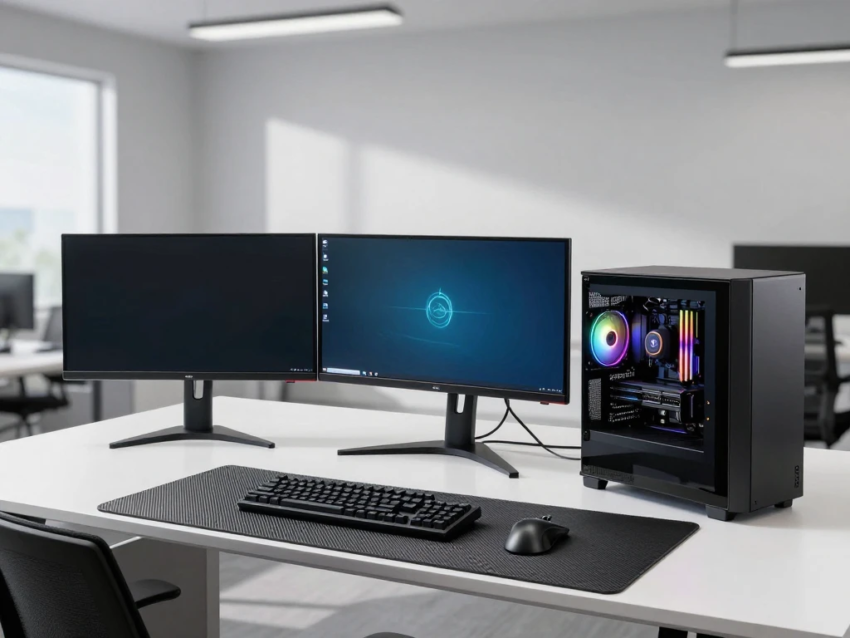
In the modern digital era, computing needs have expanded far beyond basic office tasks and everyday personal use. Industries such as engineering, architecture, animation, data science, and scientific research require extremely powerful systems capable of handling complex workloads. This is where workstation systems play a crucial role.
Workstation systems are high-performance computers designed specifically for professional and technical tasks that demand superior processing power, memory capacity, and reliability. Unlike standard desktop PCs, workstations are built to handle intensive applications such as 3D rendering, simulation, video production, artificial intelligence, and large-scale data analysis.
In this article, we will explore what workstation systems are, how they work, their key features, types, real-world applications, benefits, challenges, and future trends shaping professional computing.
What Are Workstation Systems?
Workstation systems are specialized computers designed for high-end professional use. They are optimized for performance, stability, and precision, making them ideal for tasks that go beyond the capabilities of standard personal computers.
These systems are commonly used in industries where accuracy and processing power are critical. They often include advanced CPUs, professional-grade GPUs, large memory capacities, and high-speed storage systems.
Workstations are typically used by:
- Engineers
- Architects
- Graphic designers
- Video editors
- Scientists
- Data analysts
- 3D animators
Their main purpose is to deliver consistent, reliable performance under heavy workloads.
How Workstation Systems Work
Workstation systems function by combining powerful hardware components and optimized software environments to handle complex computing tasks efficiently.
High-Performance CPU
Workstations use multi-core processors such as Intel Xeon or AMD Ryzen Threadripper. These CPUs are designed to manage parallel processing and heavy computational tasks.
Professional GPU
Unlike gaming GPUs, workstation GPUs (such as NVIDIA RTX A-series) are optimized for precision tasks like 3D modeling, CAD design, and simulation.
Large Memory Capacity
Workstations often include ECC (Error-Correcting Code) RAM, which detects and fixes memory errors to ensure system stability during critical tasks.
Fast Storage Systems
Solid State Drives (SSDs) and NVMe storage solutions provide fast data access and quick loading of large files.
Optimized Software
Workstations run specialized software such as AutoCAD, Blender, MATLAB, Adobe Premiere Pro, and scientific simulation tools.
Key Features of Workstation Systems
Workstation systems are designed with several advanced features that distinguish them from regular computers.
High Processing Power
They can handle multiple complex tasks simultaneously without performance degradation.
Reliability and Stability
Workstations are built for continuous operation with minimal risk of crashes or failures.
Expandability
Users can upgrade components such as RAM, storage, and GPUs to meet evolving demands.
Precision Graphics
Professional GPUs deliver accurate rendering for design, animation, and simulation work.
Multi-Monitor Support
Workstations support multiple displays, allowing professionals to work more efficiently.
Enhanced Cooling Systems
Advanced cooling solutions prevent overheating during heavy workloads.
Types of Workstation Systems
There are different types of workstation systems designed for various professional needs.
Desktop Workstations
These are traditional stationary systems used in offices, studios, and labs for high-performance tasks.
Mobile Workstations
High-performance laptops designed for professionals who need portability without sacrificing power.
Rack Workstations
Used in data centers and enterprise environments for centralized computing power.
Cloud Workstations
Virtual workstations hosted on cloud servers that allow remote access to powerful computing resources.
Real-World Applications of Workstation Systems
Workstation systems are widely used across many industries.
1. Engineering and Design
Engineers use workstations for CAD modeling, structural design, and simulation testing.
2. Architecture
Architects rely on workstations for 3D modeling, building visualization, and rendering large-scale projects.
3. Media and Entertainment
Film studios and animators use workstations for video editing, CGI, and visual effects production.
4. Scientific Research
Researchers use workstations for data modeling, simulations, and complex calculations.
5. Artificial Intelligence and Machine Learning
AI developers use workstations to train machine learning models and process large datasets.
6. Healthcare
Medical professionals use workstations for imaging analysis, diagnostics, and research.
7. Finance and Analytics
Financial institutions use workstations for risk analysis, trading algorithms, and data modeling.
Benefits of Workstation Systems
Workstation systems offer numerous advantages for professionals and industries.
High Performance
They deliver unmatched computing power for demanding applications.
Improved Productivity
Faster processing speeds reduce time spent on complex tasks.
Reliability
ECC memory and professional-grade components ensure system stability.
Precision Work
Ideal for tasks requiring accuracy, such as engineering design and medical imaging.
Scalability
Systems can be upgraded to meet increasing workload requirements.
Long-Term Investment
Workstations are built for durability and long-term professional use.
Challenges of Workstation Systems
Despite their advantages, workstation systems also have some limitations.
High Cost
Workstations are significantly more expensive than standard PCs.
Complex Setup
They may require technical knowledge for configuration and optimization.
Power Consumption
High-performance components consume more electricity.
Limited Gaming Optimization
Although powerful, they are not primarily designed for gaming performance.
Maintenance Requirements
Professional systems may require regular updates and hardware maintenance.
Workstations vs Standard PCs
Workstation systems differ greatly from regular desktop computers.
Standard PCs are designed for everyday tasks such as browsing, office work, and entertainment. They focus on affordability and general usability.
Workstations, on the other hand, are built for performance-intensive tasks that require high processing power, stability, and precision.
While PCs are suitable for general users, workstations are essential for professionals in technical and creative industries.
Role of Cloud Computing in Workstations
Cloud computing is transforming how workstation systems are used.
Cloud-based workstations allow users to access high-performance computing remotely without needing expensive hardware. This is especially useful for remote teams and large organizations.
Benefits include:
- Remote access to powerful systems
- Reduced hardware costs
- Scalable computing resources
- Real-time collaboration
Future Trends in Workstation Systems
The future of workstation systems is being shaped by emerging technologies.
AI Integration
Artificial intelligence will optimize workflows, automate tasks, and enhance performance.
Cloud-Based Workstations
More professionals will use virtual workstations hosted in the cloud.
Faster Processors
Next-generation CPUs and GPUs will deliver even higher performance.
Improved Energy Efficiency
Future systems will focus on reducing power consumption while maintaining performance.
Hybrid Computing Models
Combination of local and cloud processing will become more common.
Advanced VR and AR Support
Workstations will increasingly support immersive technologies for design and simulation.
Impact of Workstation Systems on Industries
Workstation systems have transformed multiple industries by enabling faster innovation and more accurate results.
They allow professionals to handle complex projects that would be impossible on standard computers. From designing skyscrapers to simulating medical procedures, workstations are at the core of modern technological progress.
Their impact continues to grow as industries adopt more data-driven and computationally intensive workflows.
Best Practices for Using Workstation Systems
To maximize efficiency, users should follow best practices:
- Regularly update drivers and software
- Use professional-grade applications
- Maintain proper cooling and ventilation
- Back up important data
- Optimize system configuration for specific workloads
- Perform regular hardware maintenance
Conclusion
Workstation Systems represent the highest level of professional computing power, designed to handle complex, demanding, and precision-based tasks across various industries. With powerful processors, advanced GPUs, and reliable memory systems, they enable professionals to achieve high performance and efficiency.
Although they come with higher costs and complexity, their benefits in terms of speed, accuracy, and productivity make them essential tools for modern industries.